

Invite members
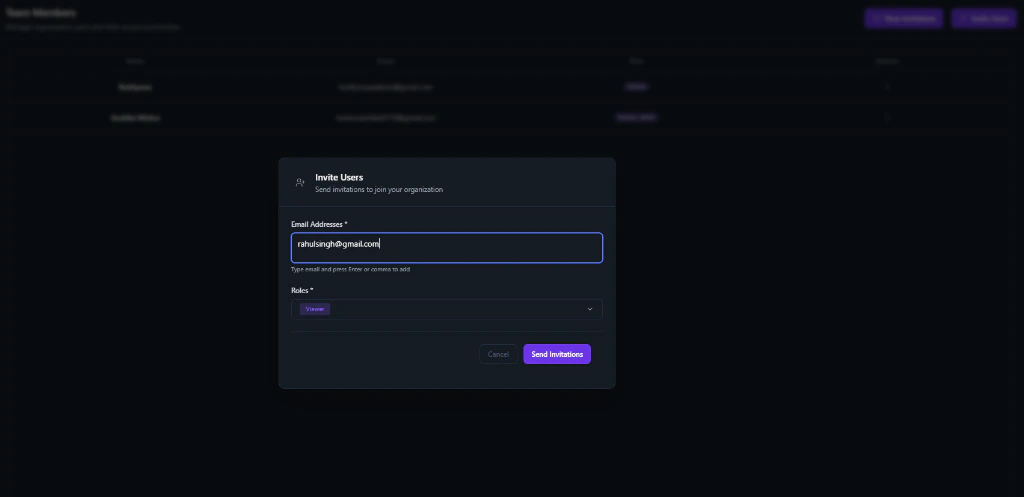
1
Open Team Members
In the organization sidebar, open Team Members (or the equivalent members page).
2
New invitation
Select New Invitation.
3
Add emails and roles
Enter one or more emails. Choose an organization Role (for example Viewer, Member, Admin).
4
Send
Select Send Invitations. Invitees must accept before you can add them to a project.
Manage members
On the same page you can:- View active members and status
- Update roles
- Remove members who no longer need access
Organization roles
Guardrails
- You only see data for organizations you belong to.
- Invalid organization IDs redirect you to your last active organization.
- You can leave organizations you were invited to. The Owner must keep or delete the organization.
What’s next?
Organization setup
Name, billing, and phone numbers.
Project Team
Assign org members to a project and set project roles.
Create a project
Create a project in this organization.